Virtueinfo
All example websites

Architecture studio · Helsinki

Website for an architecture firm

Studio Kallio is a bilingual website for a small architecture firm in Helsinki, built around project pages where visitors step through plans, sections and axonometrics. The firm is fictional: Virtueinfo made it to show what we build.

In the call we show you the working demo and how it would look for your business.

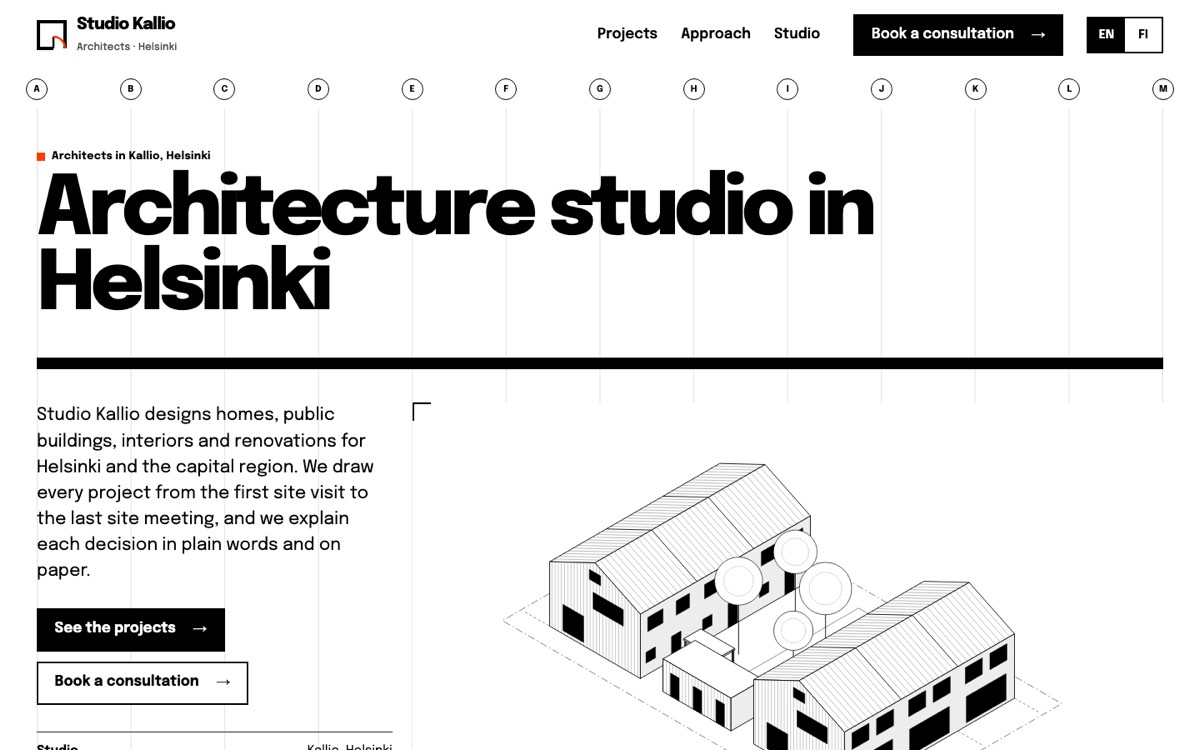
Desktop view of the example website for a architecture studio
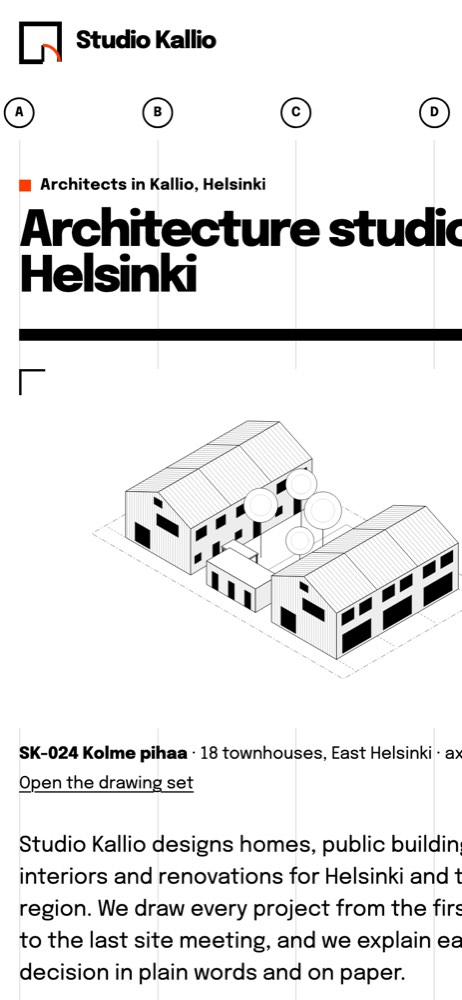
Phone view of the example website for a architecture studio

Studio Kallio is a fictional business in Helsinki, created by Virtueinfo to show what we build.

What clients look for in an architect's website

Architecture is bought on trust and on evidence. A family with a plot wants to know what fits on it, what the local detailed plan allows and how the work moves from first sketch to building permit. A municipality or school wants proof of public work and drawings that show how the office thinks. The owner of an old building wants to see that the existing structure is surveyed before anything new is drawn.

Photos of finished buildings only tell part of that story. Plans and sections show how a building works, and a clear description of the design stages tells a client what they will receive and when they have to decide.

Many clients also need to know the office can work in their language, and that the principal designer role is covered.

How the Studio Kallio demo does it

Each of the three full project pages has a drawing sequence: a site plan, a ground floor plan, a section and an axonometric, all drawn as clean line drawings. Visitors move through them with buttons, the arrow keys or a swipe, and can open the set full screen. In full screen the keyboard focus stays inside the viewer, Esc closes it, and a screen reader announces each drawing with its caption. Beside the drawings the page sets out the brief, the area, the client type and the studio's role.

The project archive lists eight projects with a filter for housing, public buildings, interiors and renovation, and each filter has its own link, so a home page section can send visitors straight to renovation work. The approach page explains five stages from feasibility to site meetings, with what the client gets and decides at each one.

The consultation form builds a project sheet beside it as the visitor chooses a project type, location, floor area, stage and budget range, so both sides see the same summary before the first meeting.

What we would set up for your office

For a real architecture office we build the site in Finnish and English, and add Swedish where your clients need it, with each page linked to its other language version. We set up your Google Business Profile and write the project and service pages for searches such as architect plus your city or a building type.

Your drawings are converted into light, sharp web graphics, and project pages are kept easy to add. Consultation requests go to your email or CRM. Analytics load only after the visitor consents, the drawing viewer and forms work with a keyboard and a screen reader, and after launch we keep the software and project archive up to date.
Who builds your website

Virtueinfo has built web and mobile software since 2004. The team that made this demo designs, builds and maintains your site.

“We have worked with Virtueinfo for the past seven years. They have been reliable and efficient with their work, helping us along the way by being an agile and responsive development house. The know-how has ranged from front to back-end development and quality has always met our standards. Warm recommendation.”
Tuomas Talola
Reviews on Clutch
  • You own everything

    All code, content and accounts are yours from the first day.

  • Confidential from the start

    We sign an NDA before we see anything about your business.

  • A real estimate, free

    Scoping costs nothing and ends with a written estimate.

  • A reply within 1–2 business days

    Every enquiry gets a personal reply with next steps.

How the project runs

  1. 1

    First call. We go through your services, your customers and what the website needs to achieve.

  2. 2

    Plan and quote. You receive a page map, a list of features and a fixed quote.

  3. 3

    Design and build. You see the site as it takes shape and comment directly on the pages.

  4. 4

    Launch and care. We publish the site, redirect old addresses and keep it updated afterwards.

Questions we often hear

Can we show drawings instead of photos?

Yes. The demo uses only line drawings, and they work well because they show how a building is organised. On your site we can mix drawings with photos of completed work, and the viewer handles both.

Can we add new projects ourselves?

Yes. Each project is stored with its text, facts and drawings, and a new project uses the same page template. The archive and its filters pick up the new project automatically.

Does the site help with public sector clients?

The demo shows public projects in depth, explains the design stages and permit process, and works with assistive technology. For public clients we can also add pages on references and procurement in the format they ask for.

Want a website like this for your business?

Book a free call. We go through what you need and send a proposal with a quote.