What language students need from the website
A newcomer to Turku wants a beginner Finnish group that fits after work, a start date, the price and some English support while the grammar is new. A working Finn wants an evening or online English course at the right level. An HR manager wants a course plan for a team, a price per group and an invoice to the company.
Most of them do not know their level in CEFR terms, and many are reading the site in their second or third language. Puhekupla is a fictional school that Virtueinfo made to show what we build, and its pages are written in short, plain sentences for that reason.
How the course finder works
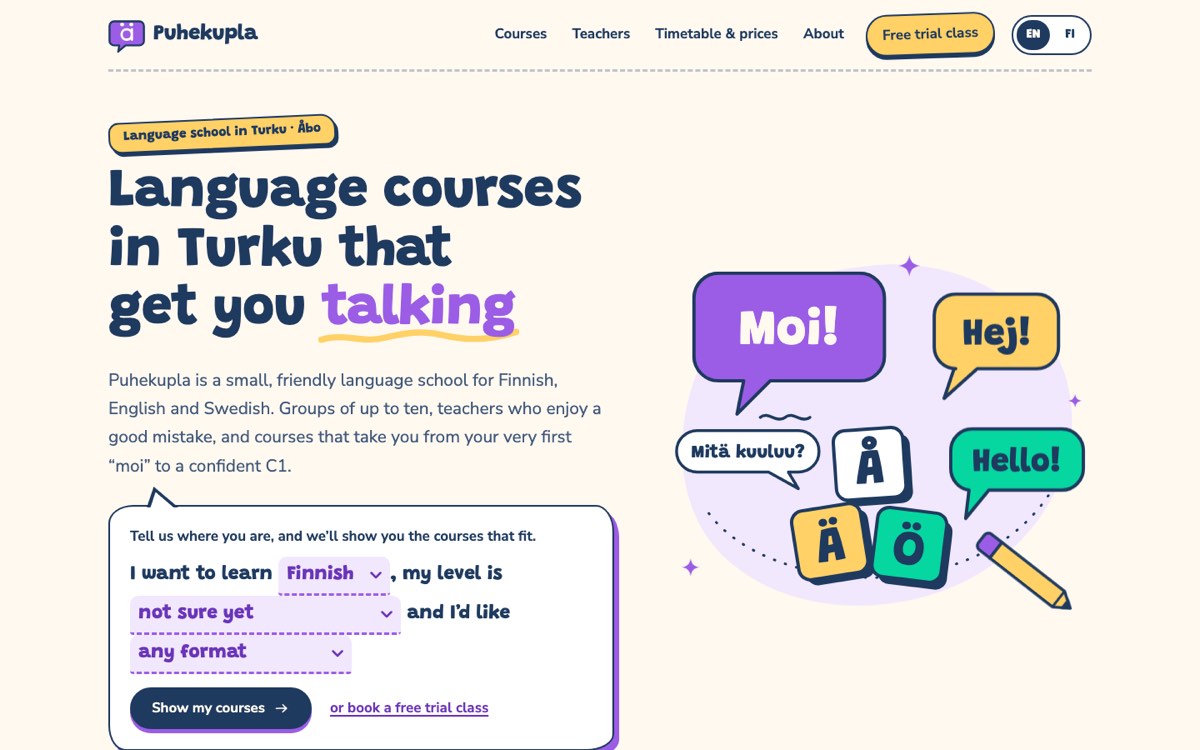
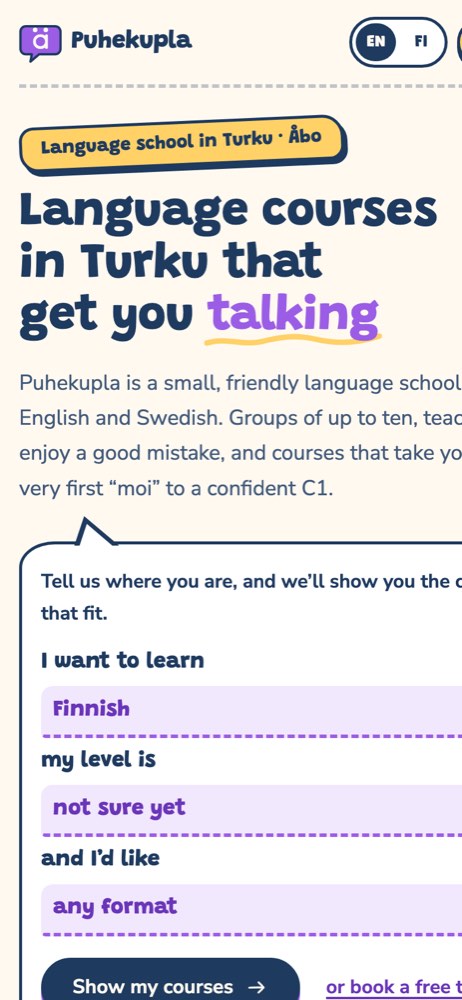
The home page asks the visitor to finish a sentence: I want to learn Finnish, my level is A1, and I'd like evening classes. Pressing the button opens the courses page with those filters already set. There the visitor can change language, level or format with chips, and the list of thirteen sample courses narrows as they click. The filter choices are kept in the address, so a filtered list can be shared or bookmarked.
Each course card shows the days, times, start date, teacher and starting price. The Finnish A1 course page breaks twelve weeks into themes such as the shop, the bus and the health centre. Every course links to the free trial booking form, which opens with that course selected and asks for preferred days and times. Visitors who are unsure of their level can pick Not sure yet, and the teacher suggests a group after the class.
The timetable page shows the week as a table that can be filtered by language, and the teachers page can be narrowed to the language each teacher teaches.
What we would set up for your school
For a real Finnish language school we build the site in Finnish and English, and add Swedish or other languages that your students read. Prices are shown with the VAT treatment that applies to your courses. We set up your Google Business Profile and write course pages that can be found in local search for each language and level.
Course dates and places can come from your registration system, or you update them yourself in a simple admin. Trial bookings go to your email or student register. Analytics only start after consent, and the site is built to meet accessibility requirements, which matters when many readers use translation tools or screen readers. We look after updates and maintenance each term.